AI Workflow Canvas
Build repeatable AI-native workflows for shots, sequences, commercials, pitchvis, and review. Connect prompts, references, models, edits, snapshots, and outputs in one traceable canvas.
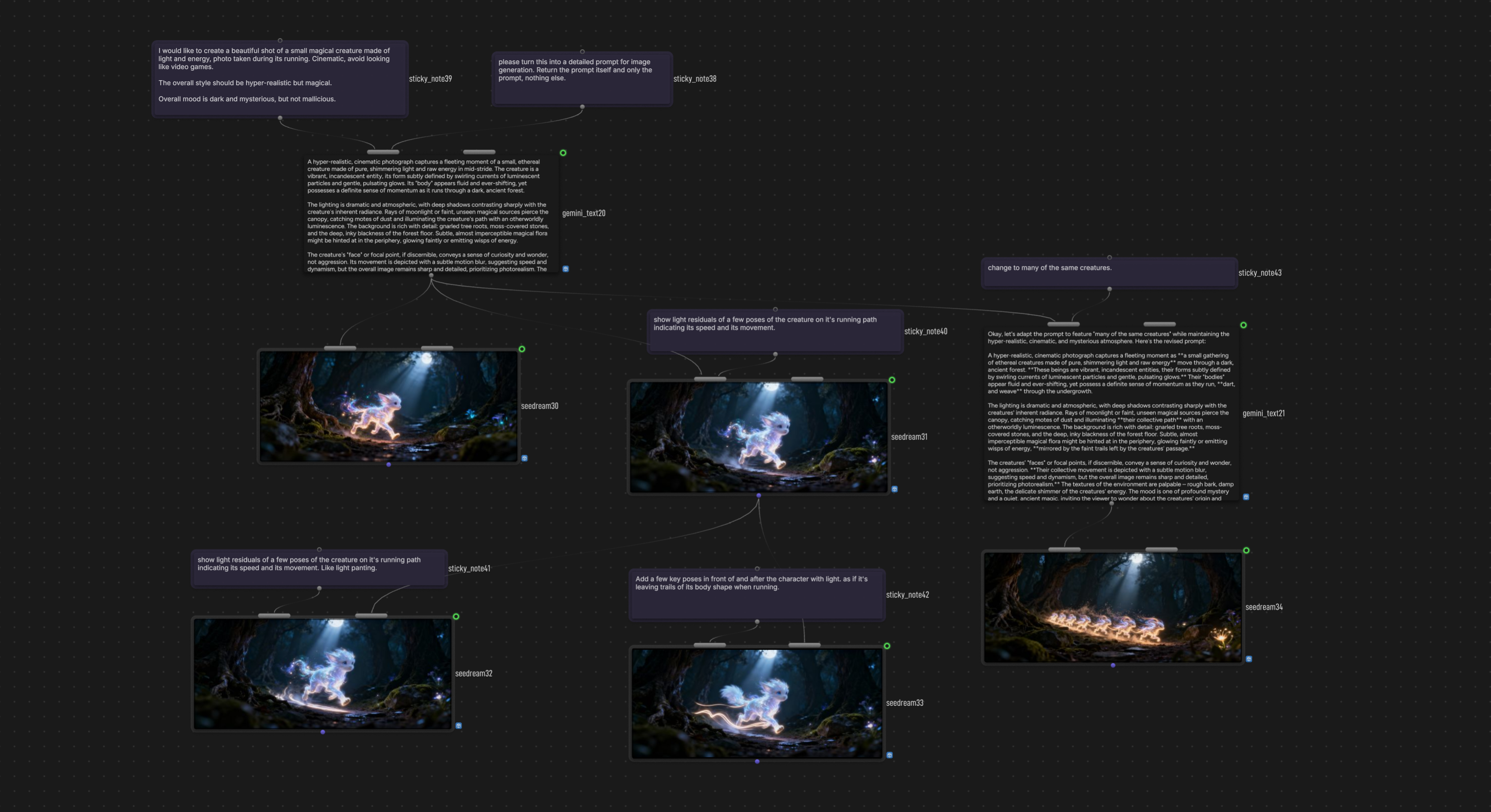
Visual Production Workflow Design
Lay out shot, reference, edit, and review steps as a graph. Run the part that changed, preserve the path that worked, and keep the production logic visible.
Lay out a shot pipeline
Connect prompts, references, model nodes, outputs, and review steps so the structure of the production work is visible before the run starts.
Run only the changed step
Rerun one node, a selected branch, or the full graph when a note changes. Keep iteration focused instead of recreating the whole chain.
Branch notes without starting over
Explore a new direction from the approved take, keep alternate versions attached, and preserve the workflow that led to each result.
Model nodes inside the graph
Chain generation, editing, upscaling, and compositing models into the same visual production canvas.
Task History & Results
Every node keeps the generations, settings, and outputs behind a production decision. Compare takes, revisit notes, and recover the exact state behind an approved result.
Performance That Feels Instant
Fluid panning, instant node interactions, and zero-lag connections. The canvas stays snappy no matter the size of your graph.
Build the system behind the shot
Start with the canvas, then connect model nodes, timeline work, snapshots, and team review as the production grows.