Back to Nodes
Flux 2 Dev

Flux 2 Dev

Official

FLUX 2 Dev generation and editing with multi-reference image input.

Nodespell AI
AI / Image / Black Forest Labs

FLUX 2 Dev generation and editing with multi-reference image input.

FLUX 2 Dev is the broader FLUX node for prompt-based generation or multi-reference editing. It exposes width, height, aspect ratio, output quality, output format, seed, and safety options.

Choose it when reference images should guide a high-quality still. Use Canny, Depth, Fill, Redux, or Kontext variants when the task has a more specific control requirement.

Model Examples (4)

Example Index01 / 04
Example 01

Editorial bakery campaign

Creates a warm documentary-style bakery campaign still with realistic morning light.

Source Inputs01
Prompt

A warm documentary-style campaign still for an independent neighborhood bakery at 6 AM. A flour-dusted baker is setting trays of cardamom buns onto a marble counter, soft window light, quiet street outside, tactile food texture, natural skin tones, editorial food photography, realistic lens rendering, no visible brand names or readable signage.

Parameters07
Prompt
A warm documentary-style campaign still for an independent neighborhood bakery at 6 AM. A flour-dusted baker is setting trays of cardamom buns onto a marble counter, soft window light, quiet street outside, tactile food texture, natural skin tones, editorial food photography, realistic lens rendering, no visible brand names or readable signage.
Aspect Ratio
4:5
Go Fast
true
Output Format
png
Output Quality
90
Disable Safety Checker
false
Seed
-1
image-generationcommercialeditorialfood
Response
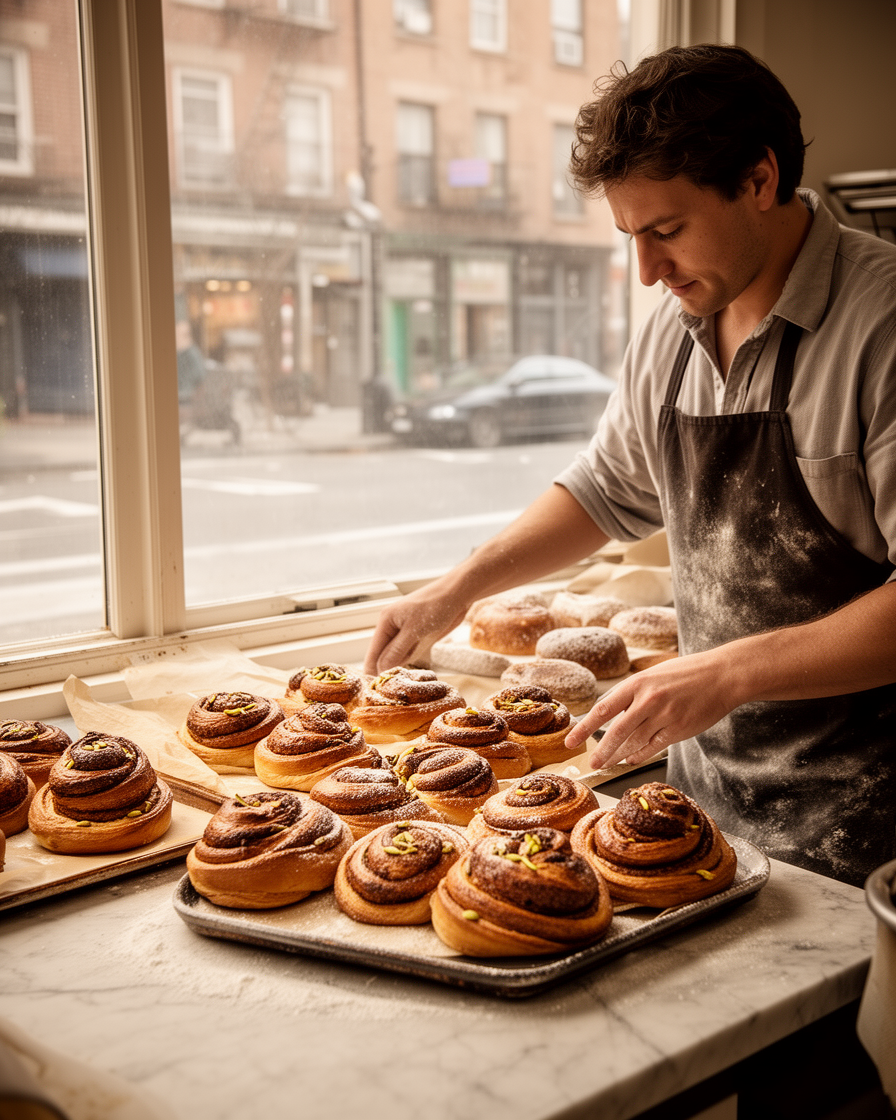
Editorial bakery campaign output
Inputs (2)

Prompt

String

Text description of the image to generate.

Multi InputMin: 0Max: 100

Input Images

String

List of input images for image-to-image generation. Maximum 4 images. Must be jpeg, png, gif, or webp.

Multi InputMin: 0Max: 100
Parameters (9)

Seed

Number

Random seed. Set for reproducible generation.

Width

Number

Width of the generated image in text-to-image mode. Only used when aspect_ratio=custom. Must be a multiple of 32 (if it's not, it will be rounded to nearest multiple of 32).

Default: 256

Height

Number

Height of the generated image in text-to-image mode. Only used when aspect_ratio=custom. Must be a multiple of 32 (if it's not, it will be rounded to nearest multiple of 32).

Default: 256

Prompt

String

Text description of the image to generate.

Default:

Go Fast

Boolean

Run faster predictions with additional optimizations.

Default: true

Aspect Ratio

String

Aspect ratio for the generated image. Use 'match_input_image' to match the first input image's aspect ratio.

Default: 1:1

Output Format

String

Format of the output images.

Default: webp

Output Quality

Number

Quality when saving the output images, from 0 to 100. 100 is best quality, 0 is lowest quality. Not relevant for .png outputs.

Default: 80

Disable Safety Checker

Boolean

Disable safety checker for generated images.

Default: false
Outputs (1)

Output

Inferred

Output

Nodespell Team

Creator profile

Type

Node

Status

Official

Package

Nodespell AI

Category

AI / Image / Black Forest Labs

Input

TextImage

Output

Image

Keywords

Image GenerationImage EditAspect ControlResolution Control
Use in Workflow