Back to Nodes
GPT Image 2 Edit

GPT Image 2 Edit

Official

Image editing and reference-based generation for changing existing stills.

Nodespell AI
AI / Image / Openai

Image editing and reference-based generation for changing existing stills.

Use GPT Image 2 Edit when the source image should remain part of the decision: localized changes, masked edits, reference blending, or producing an edited option from one visual. The node accepts one or more images, an optional mask, quality, size, and output format.

Write prompts as edit instructions, not full regeneration briefs. Compare against the source for identity, hands, small logos, and layout details before using the result downstream.

Model Examples (4)

Example Index01 / 04
Example 01

Raincoat Wardrobe Continuity

Shows a practical wardrobe material and color continuity edit while preserving the shot.

Source Inputs02
Prompt

Edit the source image by changing only the raincoat material into deep forest-green waxed cotton with subtle rain beading. Preserve the model identity, pose, background, camera angle, lighting, and editorial fashion composition. No logos, no readable text.

Image Input
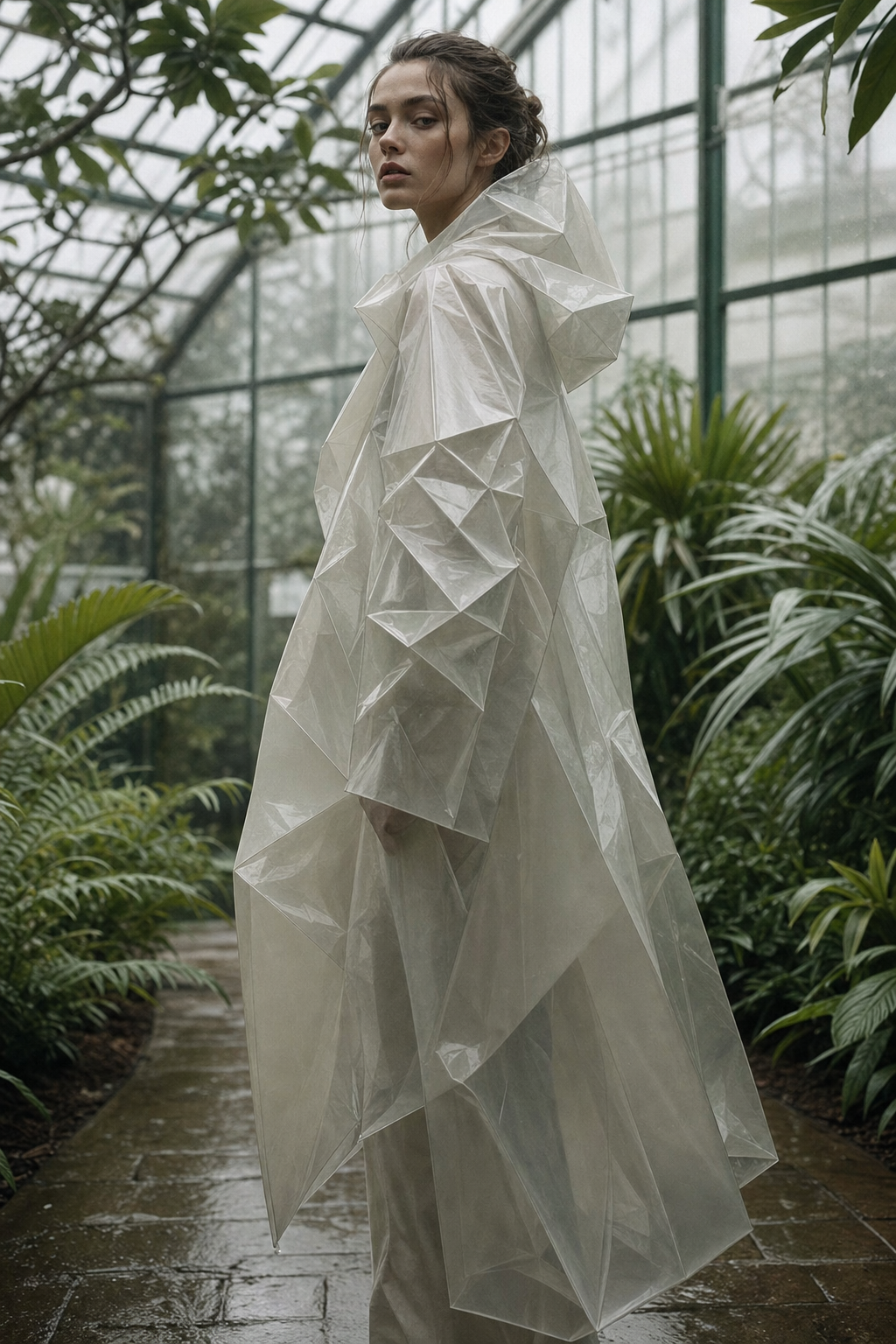
Example input
Parameters06
Prompt
Edit the source image by changing only the raincoat material into deep forest-green waxed cotton with subtle rain beading. Preserve the model identity, pose, background, camera angle, lighting, and editorial fashion composition. No logos, no readable text.
Quality
high
Image Size Preset
1024x1536
Custom Width
1920
Custom Height
1080
Output Format
png
image-editproduction-editgpt-image-2
Response
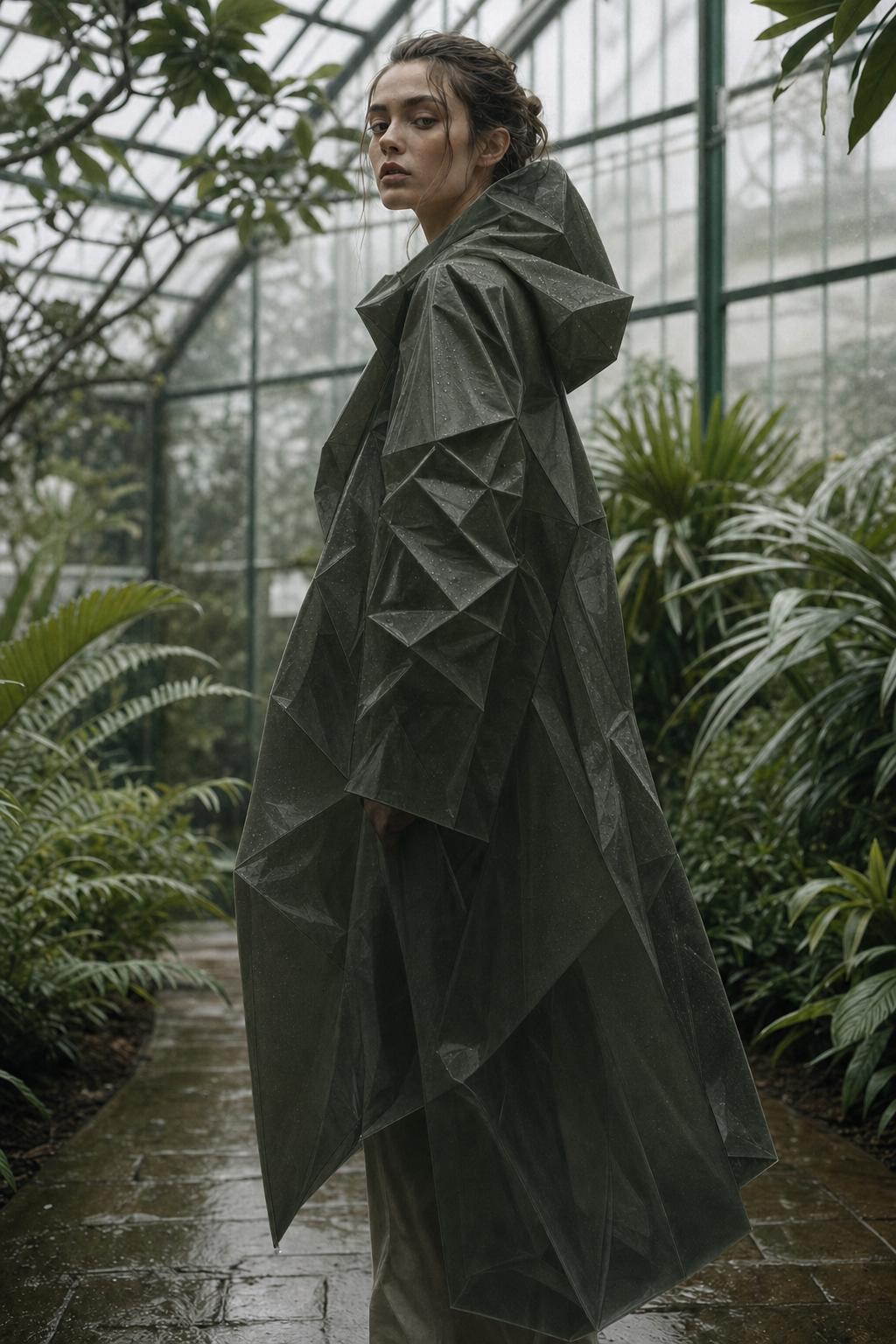
Raincoat Wardrobe Continuity output
Inputs (3)

Prompt

String

Text prompt describing how the source image should change.

Multi InputMin: 0Max: 100

Image Input

String

One or more source images to edit.

RequiredMulti InputMin: 1Max: 100

Mask Input

String

Optional mask image for localized edits.

Min: 0Max: 1
Parameters (6)

Prompt

String

Text prompt describing how the source image should change.

Required
Default:

Quality

String

Edit quality level. Higher quality increases detail and cost.

Default: high

Image Size

String

Pick a published GPT Image 2 size or choose Custom to enter explicit width and height values.

Default: 1024x768

Width

Number

Custom image width. GPT Image 2 requires multiples of 16, max edge 3840px, total pixels between 655,360 and 8,294,400, and aspect ratio up to 3:1.

Default: 2048

Height

Number

Custom image height. GPT Image 2 requires multiples of 16, max edge 3840px, total pixels between 655,360 and 8,294,400, and aspect ratio up to 3:1.

Default: 1152

Output Format

String

File format for the edited image.

Default: png
Outputs (1)

Output

Inferred

Edited image output.

Nodespell Team

Creator profile

Type

Node

Status

Official

Package

Nodespell AI

Category

AI / Image / Openai

Input

TextImage

Output

Image

Keywords

Image EditInpaintingPrompt ConditioningResolution ControlStyle Control
Use in Workflow