Back to Nodes
P Image Edit

P Image Edit

Official

Premium multi-image editing model delivering sub-second, high-quality AI image edits with precise prompt adherence and exceptional control.

Nodespell AI
AI / Image / Pruna Ai

Premium multi-image editing model delivering sub-second, high-quality AI image edits with precise prompt adherence and exceptional control.

Overview

P-Image-Edit by Pruna is a state-of-the-art AI-powered image editing model designed for professional and production use cases. It specializes in rapid, multi-image editing, completing tasks in less than one second while maintaining high visual quality and fidelity to user prompts.

Strengths / What it does well

  • Extremely fast image editing with sub-second response times.
  • Supports multi-image inputs for complex editing tasks.
  • High precision in following detailed text prompts, including exact text rendering within images.
  • Flexible aspect ratio handling and reproducible output with seed control.
  • Offers a turbo mode to optimize for speed when simpler edits are required.

Best use cases

  • Professional image editing workflows needing quick turnaround.
  • Scenarios requiring precise prompt-based image alterations.
  • Use cases demanding multi-image referencing and coherent edits across inputs.

P-Image-Edit stands out as a reliable tool delivering both speed and high-quality visual results, ideal for users needing efficient, scalable AI-driven image editing.

Model Examples (5)

Example Index01 / 05
Example 01

Example 1

A fast character wardrobe edit with a more visible costume change.

Source Inputs02
Images
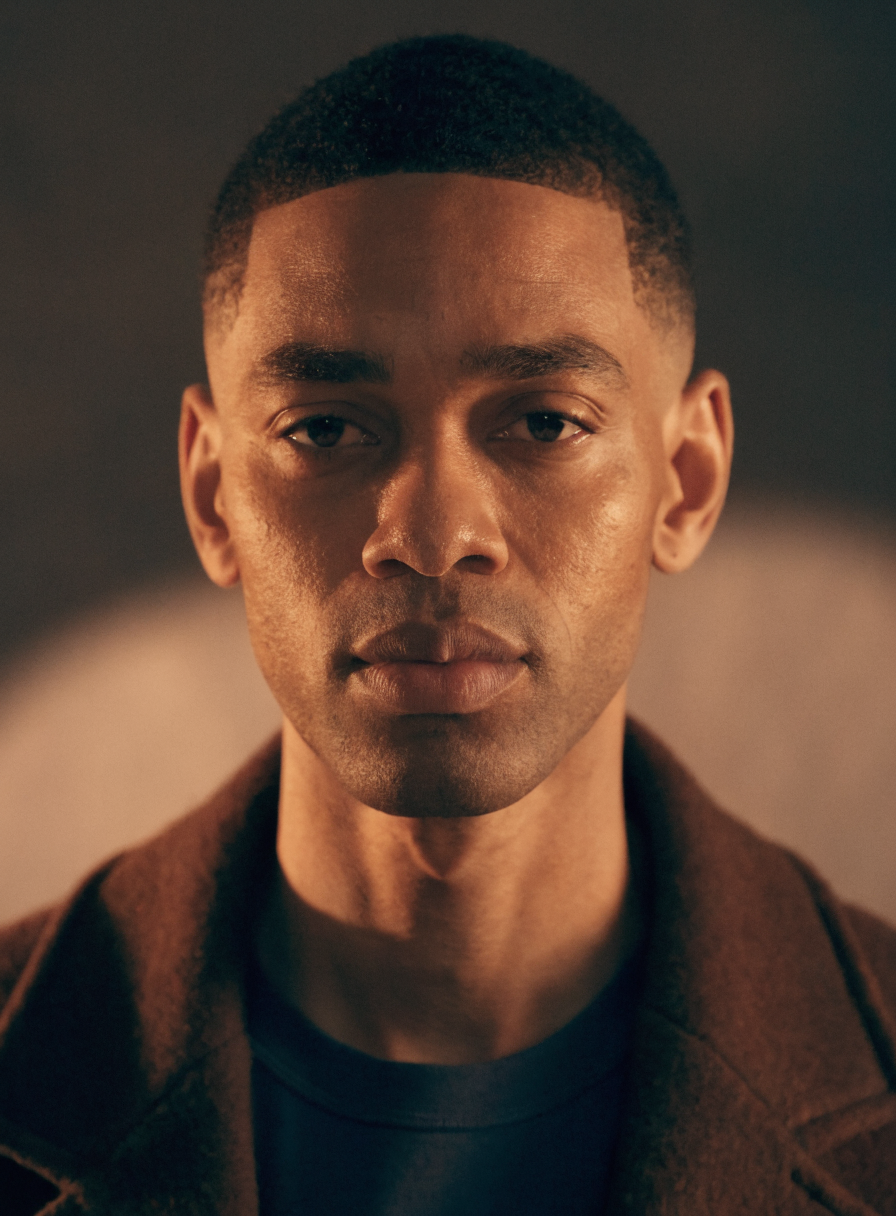
Example input
Prompt

Edit image 1 into a formal political-thriller casting portrait. Keep the same face, expression, eye direction, age, head shape, and close portrait crop. Replace the brown outerwear with a crisp black tuxedo jacket, white dress shirt, and narrow black tie. Use cool gray studio lighting and a plain dark graphite background. Keep the result realistic, clean, and non-branded.

Parameters04
Prompt
Edit image 1 into a formal political-thriller casting portrait. Keep the same face, expression, eye direction, age, head shape, and close portrait crop. Replace the brown outerwear with a crisp black tuxedo jacket, white dress shirt, and narrow black tie. Use cool gray studio lighting and a plain dark graphite background. Keep the result realistic, clean, and non-branded.
Turbo
true
Aspect Ratio
match_input_image
Disable Safety Checker
false
Image EditCharacterWardrobeFast Iteration
Response
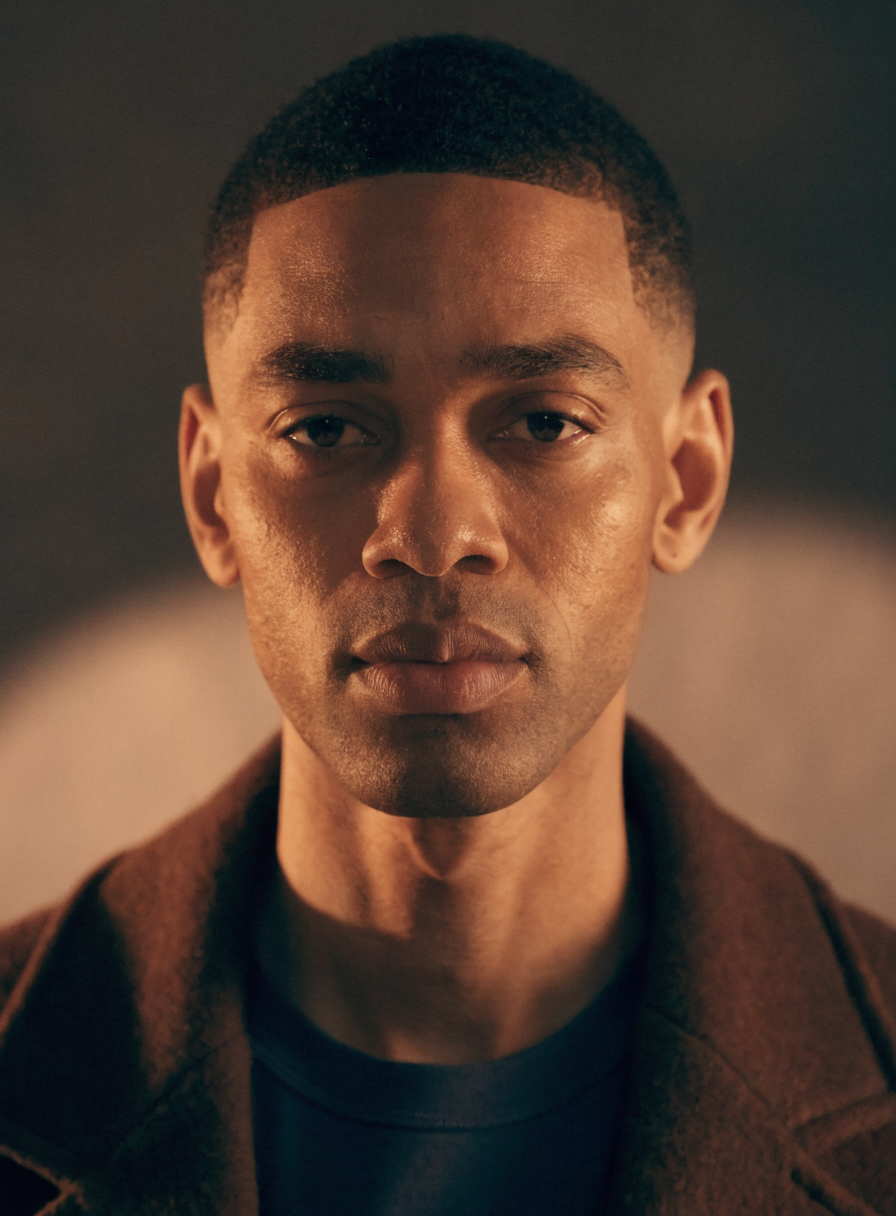
 output
Inputs (2)

Images

String

Images to use as a reference. For editing task, provide the main image as the first image.

Multi InputMin: 0Max: 100

Prompt

String

Text prompt for image generation. Make sure to describe your edit task clearly. You can refer to the images as 'image 1' and 'image 2' and so on.

Multi InputMin: 0Max: 100
Parameters (5)

Seed

Number

Random seed. Set for reproducible generation.

Default: -1

Turbo

Boolean

If turned on, the model will run faster with additional optimizations. For complicated tasks, it is recommended to turn this off.

Default: true

Prompt

String

Text prompt for image generation. Make sure to describe your edit task clearly. You can refer to the images as 'image 1' and 'image 2' and so on.

Default:

Aspect Ratio

String

Aspect ratio for the generated image. `match_input_image` will match the aspect ratio of the first image.

Default: match_input_image

Disable Safety Checker

Boolean

Disable safety checker for generated images.

Default: false
Outputs (1)

Output

Inferred

Output

Nodespell

Nodespell

London

Building the future. Join us!

Creator profile

Type

Node

Status

Official

Package

Nodespell AI

Category

AI / Image / Pruna Ai

Input

TextImage

Output

Image

Keywords

Image EditMulti OutputAspect ControlResolution Control
Use in Workflow