Example 1
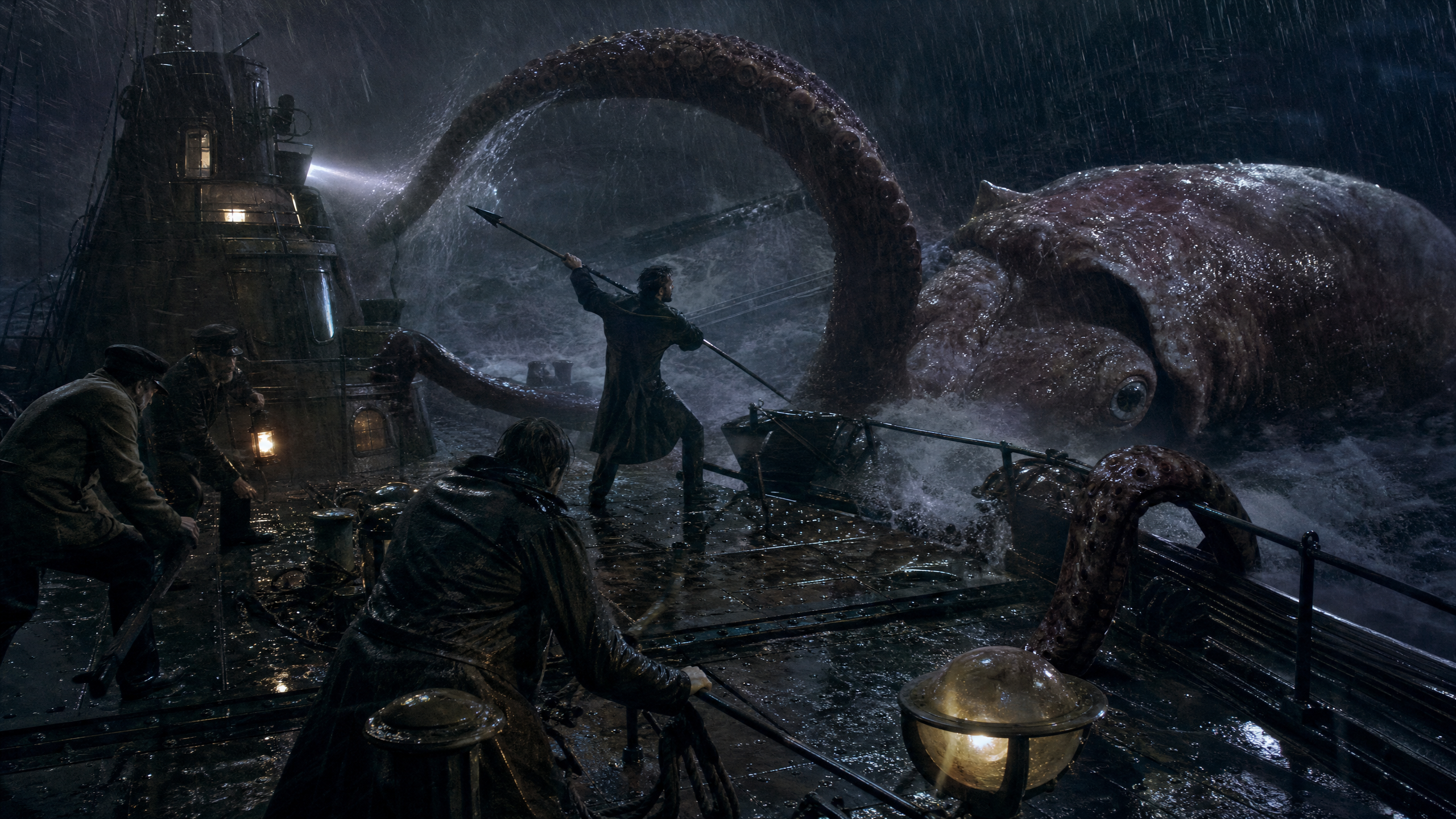
Animates a storm-battered Nautilus deck keyframe into a restrained-camera squid attack shot.
Animate this start frame as a five-second Jules Verne-inspired sea-adventure action shot on the Nautilus deck during a storm. Preserve the exact composition, crew placement, submarine tower, giant squid scale, rain, wet metal, lanterns, and searchlight direction. Make the action violent and aggressive but non-gory: the huge tentacle tightens and slams against the deck rail, the squid's eye rolls toward the crew, waves crash over the plates, loose ropes snap taut, the harpooner braces and drives forward, and the crew recoil against the storm. The camera must move slowly and subtly despite the chaos: a restrained 35mm dolly push with a slight left-to-right drift, no shaky handheld, no fast zoom, no wild reframing. Let the violence erupt inside a calm, deliberate frame. Vintage 35mm film look, practical creature texture, heavy grain, halation around lamps, wet lens specks, desaturated storm blues with warm amber practical lights, rugged miniature-and-location realism rather than glossy modern VFX. No cuts, no text, no subtitles, no logos.
Animate this start frame as a five-second Jules Verne-inspired sea-adventure action shot on the Nautilus deck during a storm. Preserve the exact composition, crew placement, submarine tower, giant squid scale, rain, wet metal, lanterns, and searchlight direction. Make the action violent and aggressive but non-gory: the huge tentacle tightens and slams against the deck rail, the squid's eye rolls toward the crew, waves crash over the plates, loose ropes snap taut, the harpooner braces and drives forward, and the crew recoil against the storm. The camera must move slowly and subtly despite the chaos: a restrained 35mm dolly push with a slight left-to-right drift, no shaky handheld, no fast zoom, no wild reframing. Let the violence erupt inside a calm, deliberate frame. Vintage 35mm film look, practical creature texture, heavy grain, halation around lamps, wet lens specks, desaturated storm blues with warm amber practical lights, rugged miniature-and-location realism rather than glossy modern VFX. No cuts, no text, no subtitles, no logos.
5
720p
16:9
true