Back to Nodes
Veo 3.1 Lite Image To Video

Veo 3.1 Lite Image To Video

Official

Lightweight Veo 3.1 image-to-video for animating a starting frame.

Nodespell AI
AI / Video / Google

Lightweight Veo 3.1 image-to-video for animating a starting frame.

Use this node when a still image already defines the subject and composition, and the task is to add motion. It exposes image input, prompt, framing, length, and resolution without the fuller Veo reference and audio controls.

Prompt the action and camera movement explicitly. If the shot needs last-frame control, reference images, generated audio, or more polish, use another Veo 3.1 variant.

Model Examples (1)

Example Index01 / 01
Example 01

Example 1

Source Inputs02
Image Url
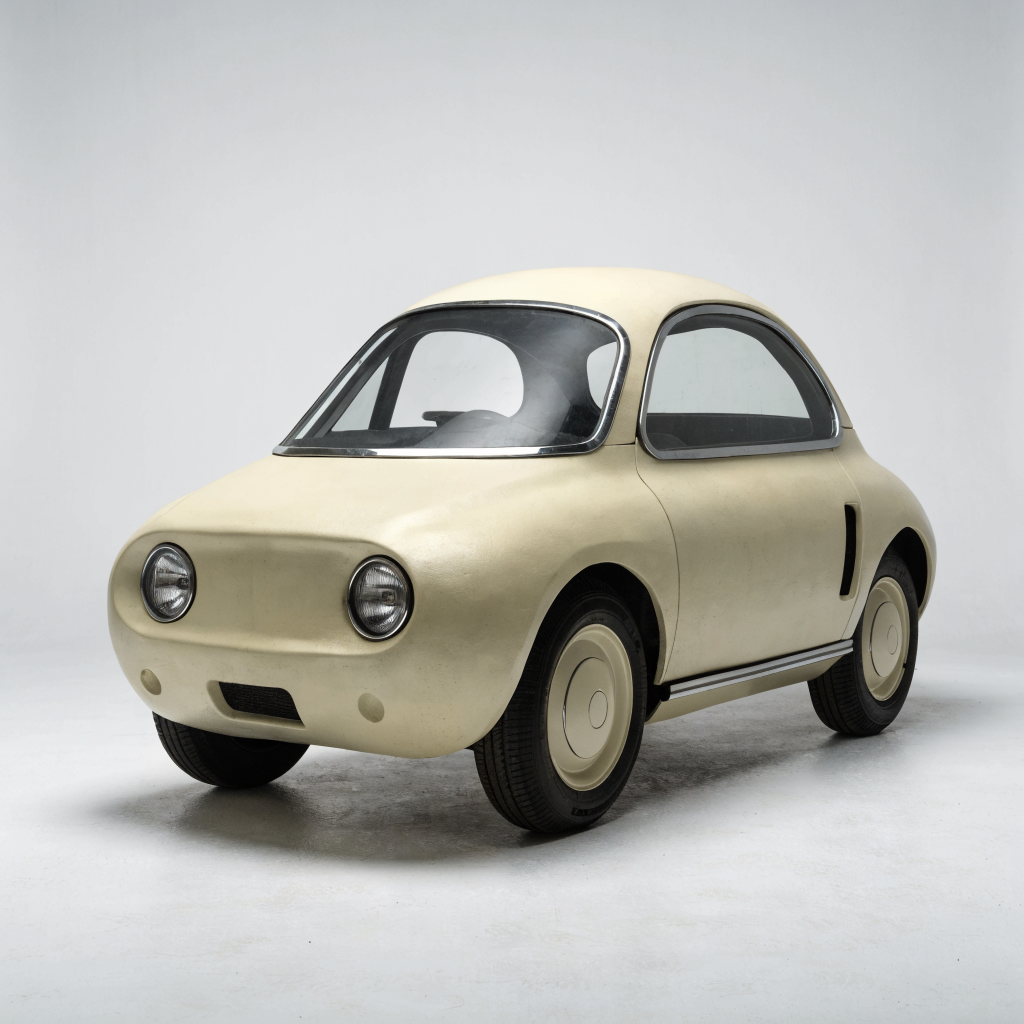
Example input
Prompt

Animate the compact retro-futuristic vehicle as a short showroom reveal: camera slowly arcs around the front quarter, studio light sweeps across the body, wheels turn slightly, clean reflective floor, no driver, no logos.

Parameters03
Duration
4s
Resolution
720p
Aspect Ratio
16:9
Image To VideoProductVehicleShowroom
Response
Inputs (2)

Prompt

String

Text prompt describing the motion, camera, and scene changes.

RequiredMulti InputMin: 0Max: 100

Image

String

Source image to animate.

RequiredMin: 0Max: 100
Parameters (4)

Prompt

String

Text prompt describing the motion, camera, and scene changes.

Required
Default:

Duration

String

Target clip duration. 1080p currently requires 8 seconds.

Default: 8s

Resolution

String

Output resolution. 1080p is available for 8 second clips.

Default: 720p

Aspect Ratio

String

Aspect ratio of the generated video.

Default: 16:9
Outputs (1)

Output

Inferred

Generated video output.

Nodespell Team

Creator profile

Type

Node

Status

Official

Package

Nodespell AI

Category

AI / Video / Google

Input

TextImage

Output

Video

Keywords

Video GenerationConditional GenerationPrompt ConditioningAspect ControlResolution ControlLength Control
Use in Workflow